Why Time Zones Break Field Service Schedules Faster Than You Think
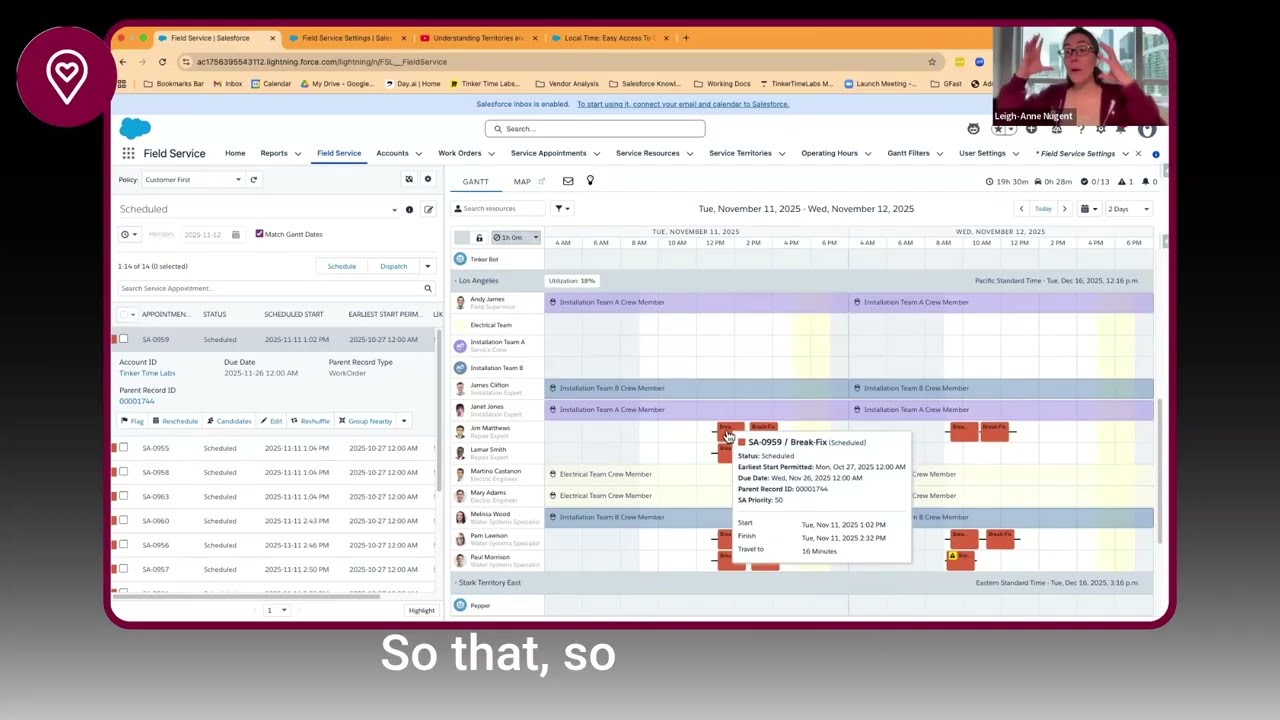
In this Office Hours Insight session, Leigh-Anne Nugent walks through one of the most common and frustrating Field Service setup issues: appointments showing up in the wrong time zone. What seems like a simple scheduling problem is usually a foundation issue involving user settings, service territories, operating hours, dispatcher console configuration, and how appointments are actually being booked.
LESSONS YOU CAN TAKE FROM THIS:
1. Time zone setup starts with territories and operating hours
If your business works across multiple time zones, each time zone needs to be represented intentionally in your Field Service setup. At minimum, you need service territories and operating hours aligned to the time zones where work is actually performed. Without that structure, scheduling becomes inconsistent fast.
2. The dispatcher console and the record page do not tell the same story
A big source of confusion is that the dispatcher console can schedule work in the territory’s time zone, while the service appointment record itself still displays in the logged-in user’s time zone. That means something can be technically correct in the system and still look wrong to the person viewing it later.
3. Book Appointment protects you from mistakes that manual entry creates
One of the clearest practical takeaways is this: if schedulers manually type appointment times into the service appointment, they can easily create the wrong time context. Using Book Appointment or drag-and-drop on the Gantt gives Salesforce the context it needs to schedule correctly based on the territory and operating hours.
4. “Smart” scheduling still needs verification
This session also highlights an important implementation truth: sometimes Salesforce appears to make the right scheduling decision even when the territory is blank, likely because of address logic, polygons, or hidden configuration. That can be helpful, but it is not something to blindly trust. Teams still need to verify the logic and avoid relying on accidental magic.
KEY TAKEAWAYS:
User time zone and territory time zone are not the same thing in Field Service.
Service territories and operating hours must be aligned to where the work happens.
Book Appointment and Gantt scheduling are safer than manual date-time entry.
Dispatcher console settings change whether users see territory time or user time.
If customers need clear local-time confirmations, you may need a custom or packaged local-time solution.